
VedaUI — build business software by dragging, not coding.
Pages, data, sign-in, roles, approvals and automation in one builder. What you build is what your users get.
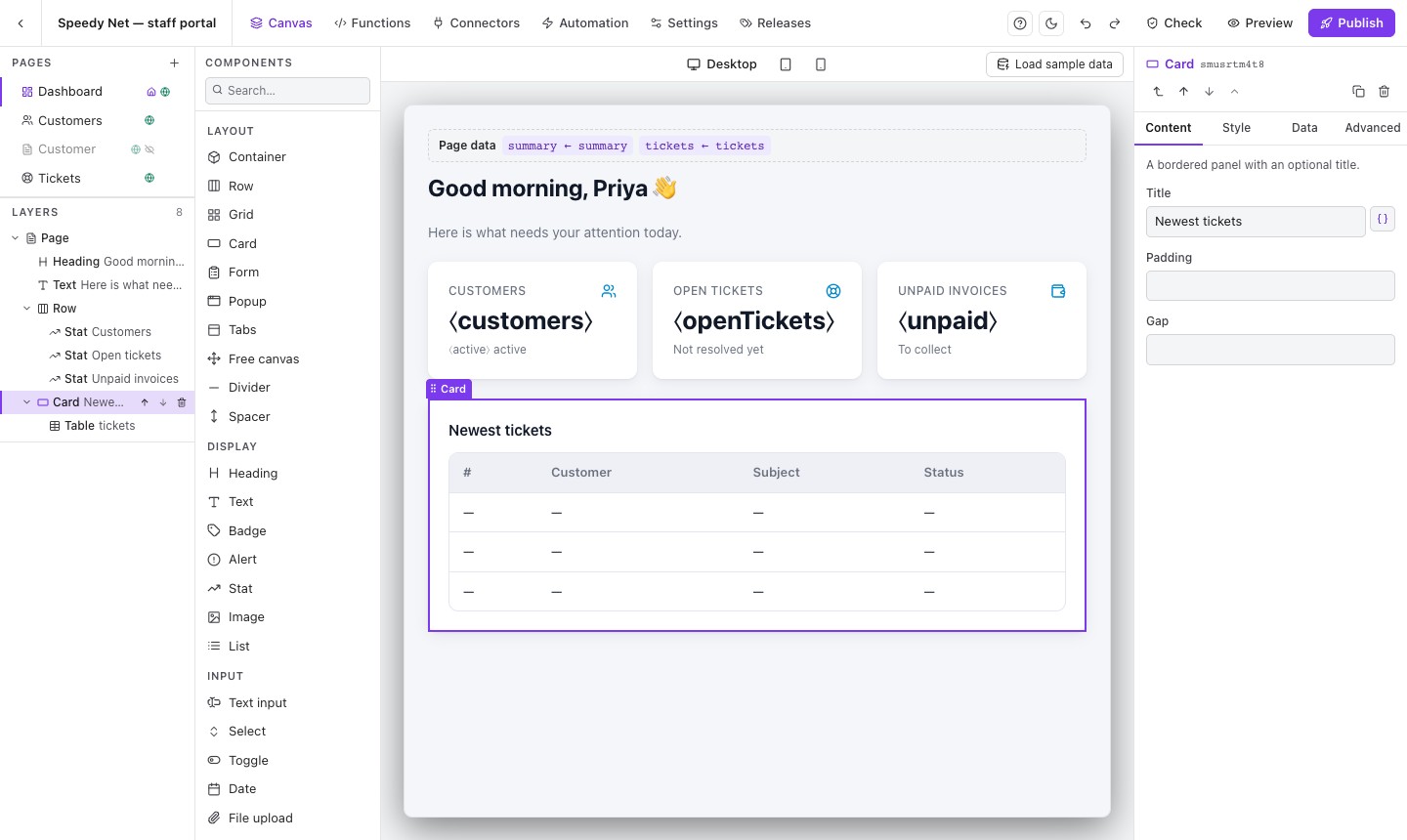
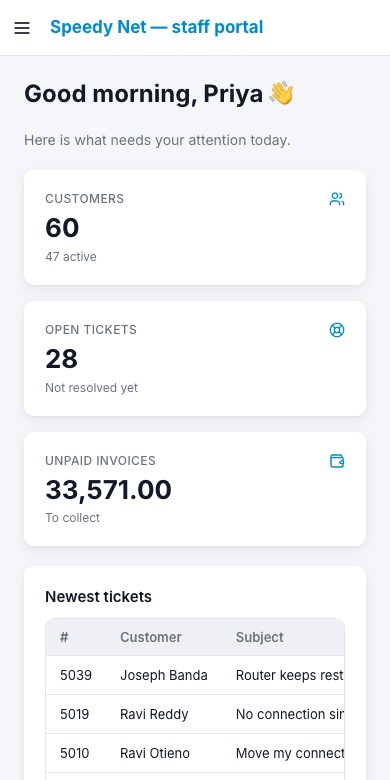
The real builder: pages and layers on the left, the page as your users will see it in the middle, the selected part’s settings on the right. The same pages work on phones.
Build with AI — you stay in control.
Connect Claude or another assistant to VedaUI’s MCP server and describe what you want. It builds pages, connectors and functions in your draft, checked against the same rules as the builder — you review, and your team publishes.
Every part, on one screen.
Data, pages, rules, releases and design — the real screens, in the order you would use them.
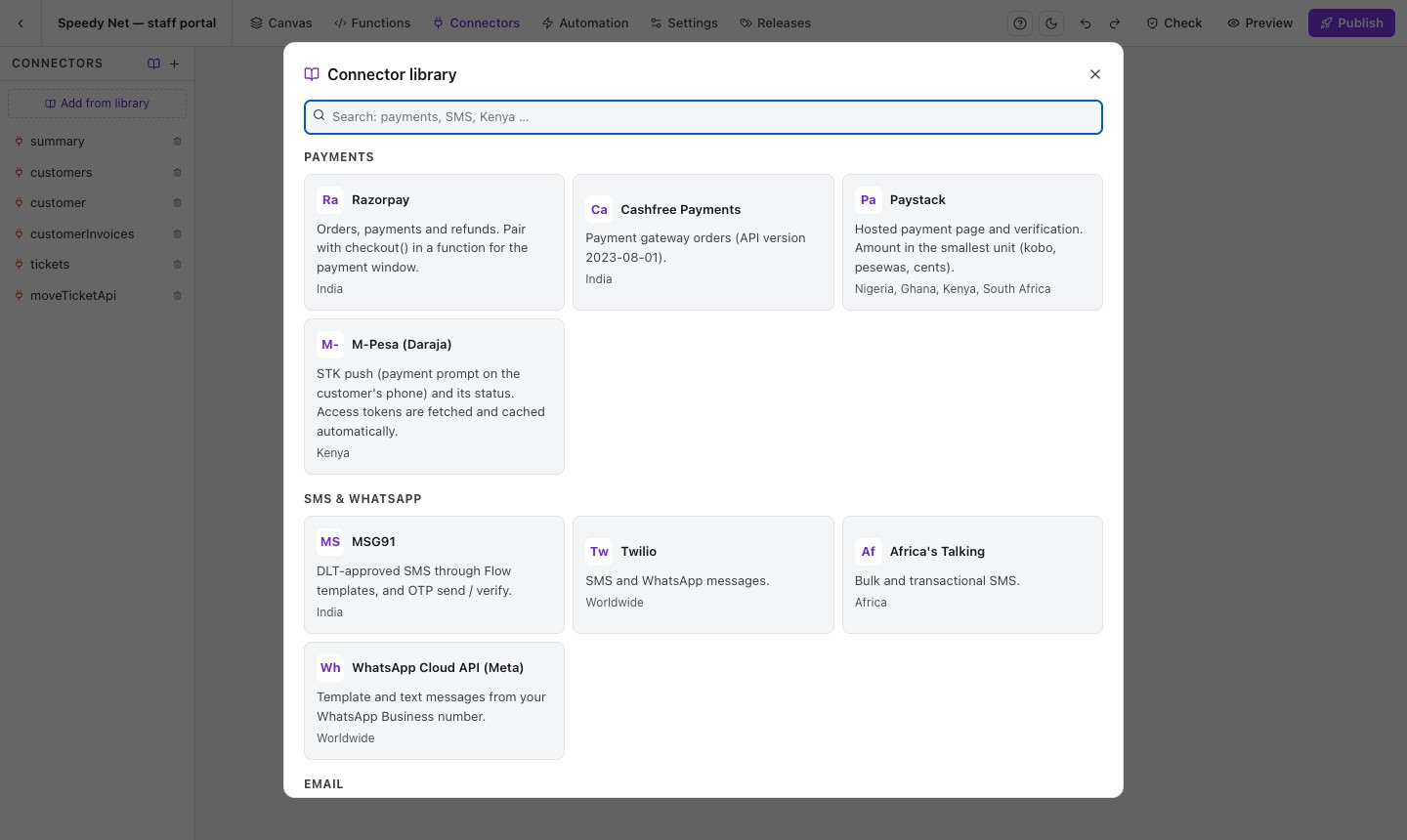
Connect any data
VedaQL endpoints or any REST API. Ready-made connectors for Razorpay, Cashfree, Paystack, M-Pesa, MSG91, Twilio, Africa’s Talking, WhatsApp and SendGrid — enter your keys and test them first.
Over 30 building blocks, ready to drop.
Each one is set up in the Properties panel — no code. Add a new block once and it appears everywhere.
Layout
Arrange the page.
Display
Show text and numbers.
Input
Collect what people enter.
Data
Work with records.
Portals, not prototypes.
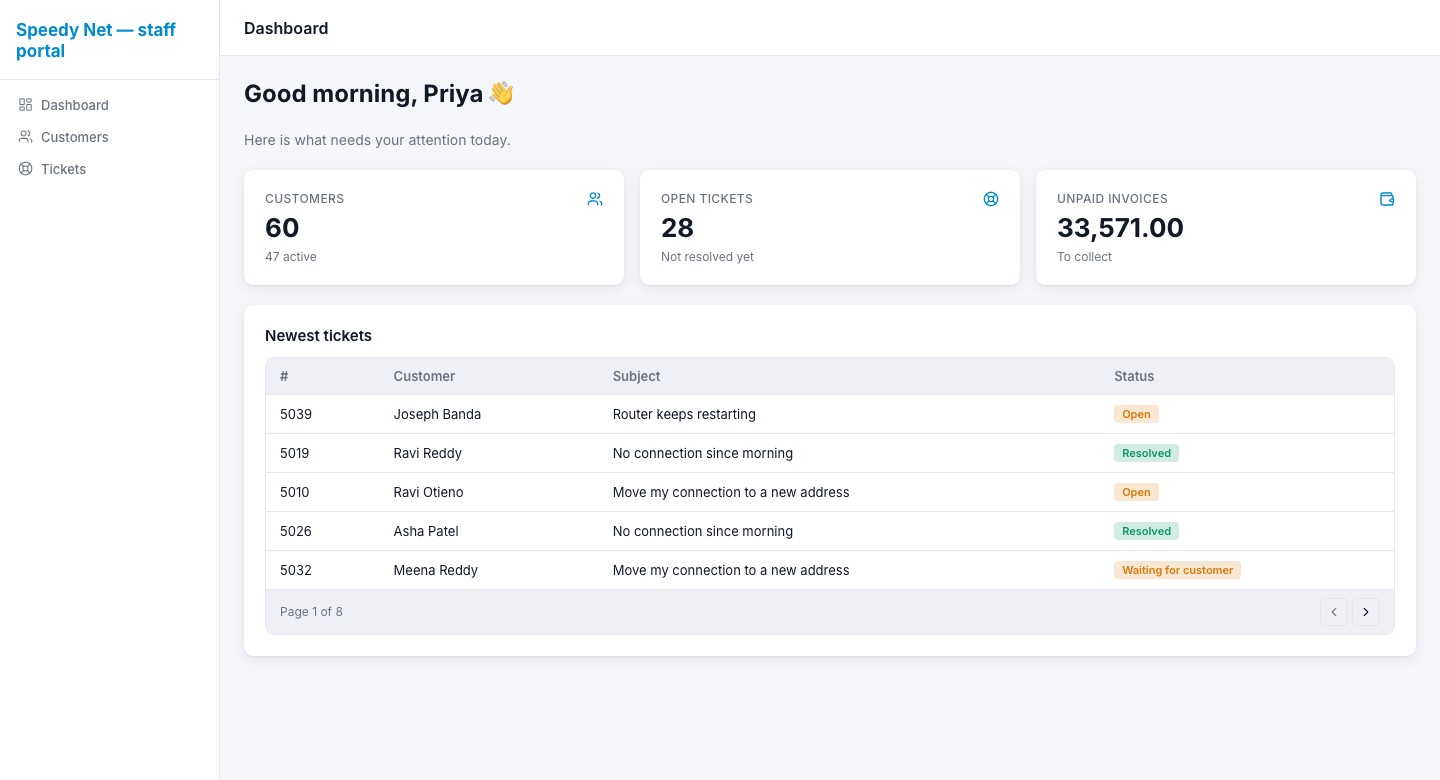
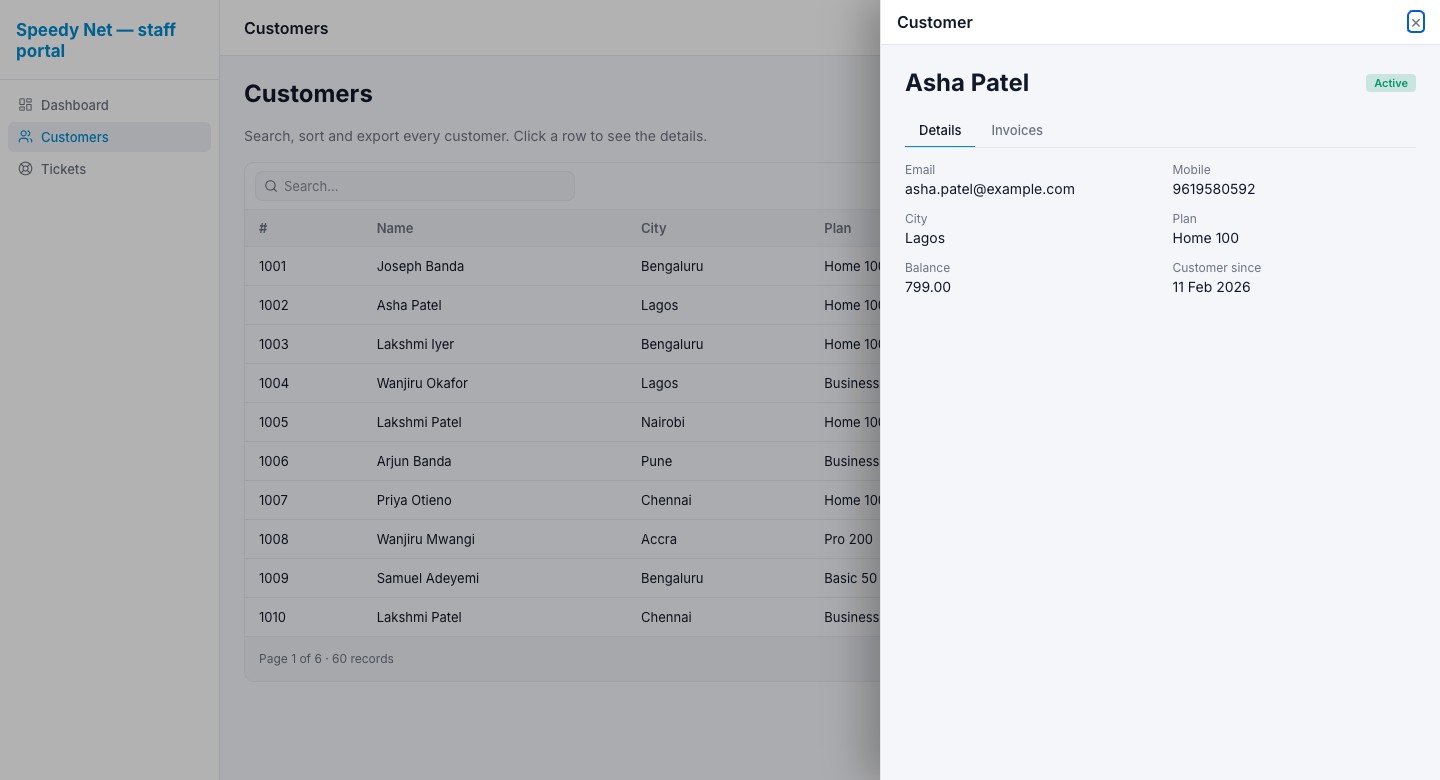
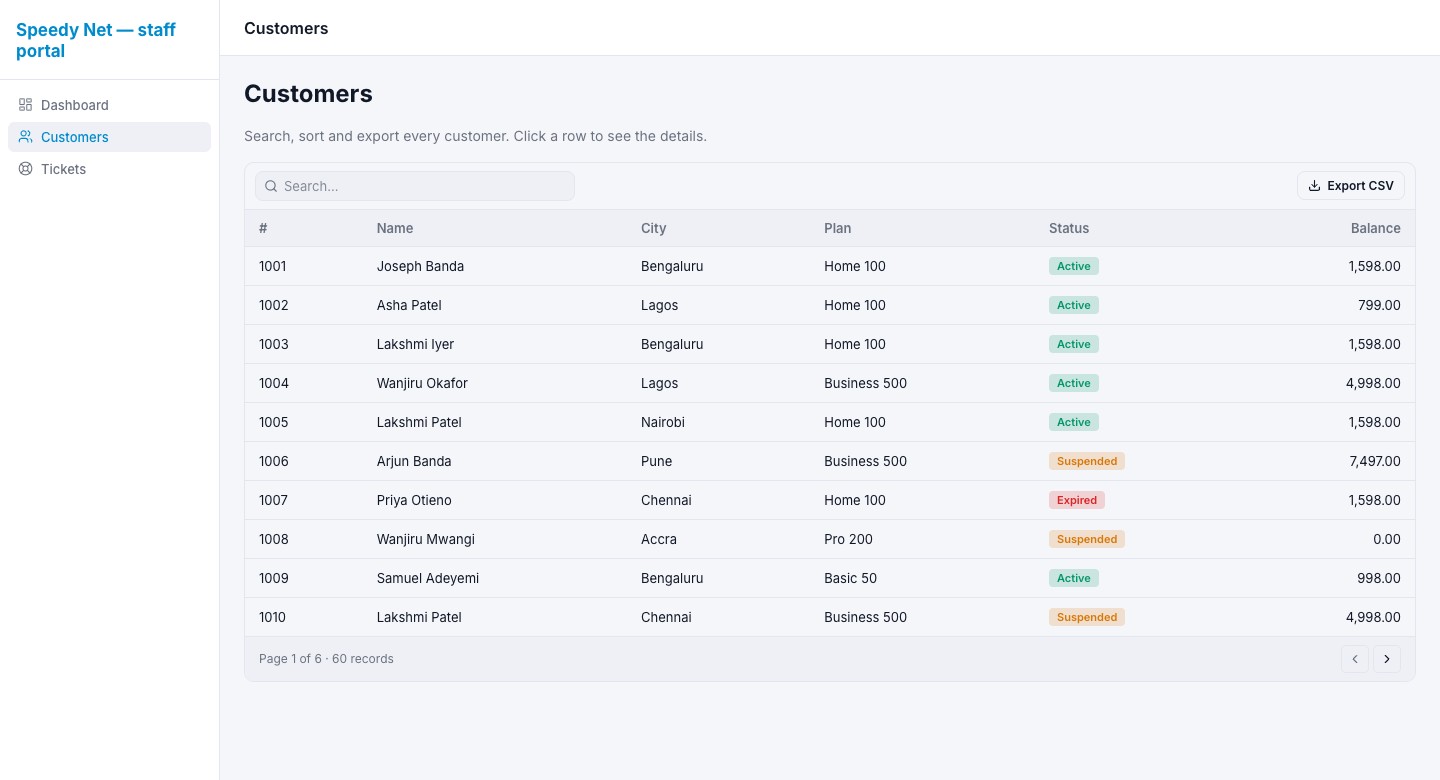
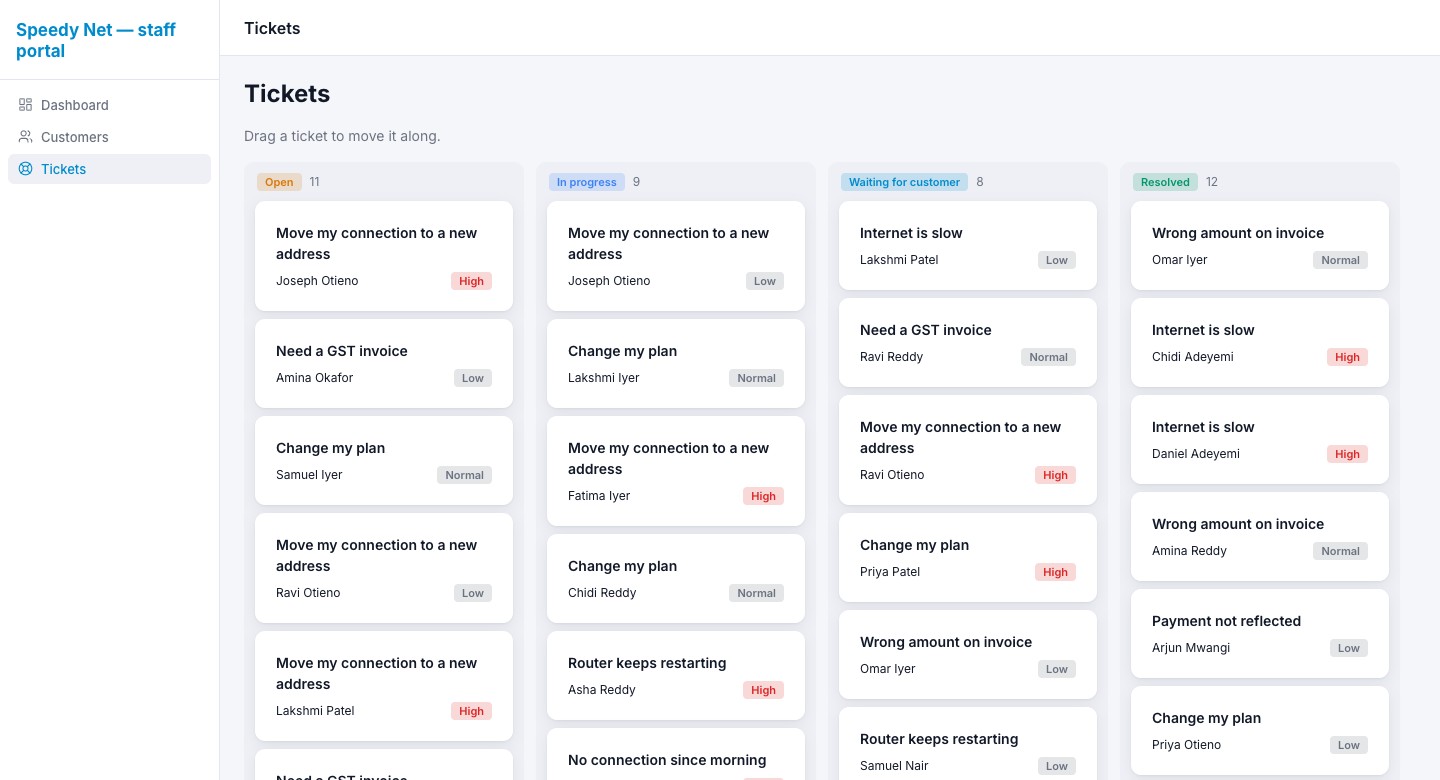
A sample staff portal made in the builder above: dashboard, a large customer list, a customer side panel and a ticket board.
What VedaUI gives you.
From the first page to sign-in, roles, approvals, messages and safe releases.
Drag-and-drop pages that look like the final product
What you see in the builder is what your users get. Tables, card lists, boards, forms, charts, tabs, timelines and popups.
Connect any data
VedaQL APIs or any REST API. Keys stay on the server, never in the browser. Ready connectors for payments (Razorpay, Cashfree, Paystack, M-Pesa), messages (MSG91, Twilio, Africa's Talking, WhatsApp) and email (SendGrid).
Sign-in your way
Use your own system's login (recommended — your users keep their accounts), or VedaUI accounts. One-time codes, forgot password and captcha. Design the sign-in screen yourself.
Who sees what
Roles on pages, data and actions — checked on the server, not just hidden on the screen. Someone without the role gets “no access”.
Lists and records
Search, sort, filter, page through large lists and export to CSV. Click a record to open it as a page, side panel or popup, and edit it there.
Approvals and steps
Define the steps a record goes through and who may move it — managers approve, staff act. Comments and a check before each move.
Automation
“When this happens, do that.” Schedules with time zones, incoming webhooks, retries and a run history.
Messages
SMS, WhatsApp and email with templates, a queue and retries. See what was sent and what failed.
Your brand
Colours, fonts, logo, light or dark, menu style. One portal, many brands for resellers and partners.
Releases
Draft, QA testers, approvals, go live, roll back. People keep using the live version while you work on the next one.
Check before publish
A built-in check lists data anyone signed in could read, missing setup and broken links before you go live — each with a button to fix it.
Your team, each with their own job
Owners, admins, builders, QA testers, approvers and viewers — each sees only the projects they work on.
About VedaUI.
Do I need to know how to code?
No. Pages, data, sign-in, roles, approvals and automation are set up in the builder. Small JavaScript functions are there for the rare special rule.
Where does the data come from?
From your systems: VedaQL endpoints on your database, or any REST API. VedaUI stores only how your software is built — not your business records.
Can customers sign in with the accounts they already have?
Yes. Use your own system’s login (recommended), or VedaUI accounts with one-time codes, forgot password and captcha.
Can an AI assistant build pages for me?
Yes. Connect Claude or another assistant over MCP with an API key. It can create pages, connectors, functions, the menu and the theme — you review and publish.
What happens if a change breaks something?
Run the built-in Check before you publish. Every publish is a release, so you can roll back to an earlier one in one click.
Keys and secrets never reach the browser.
Connectors run on the server. API keys are stored encrypted and shown masked. Roles are checked on the server for every page, connector and function.
Ready to build your first page?
Start a 7-day free trial with a sample project ready to open. No card needed.